How to Cheat Discreetly: Smart Ways to Avoid Digital Traces

Reading time: 11 minutes
Your phone buzzes. A message from your affair – at the worst possible moment. Anyone who wants to cheat discreetly faces a challenge: every message, every login, every photo leaves digital traces. In an age of cloud syncing and automatic backups, discretion becomes the ultimate discipline. A 2023 study by the Leibniz Institute for Media Research in Germany found that 68 percent of all affairs are uncovered through digital evidence.
This article shows you exactly how to use messaging apps safely, which technical precautions really work, and how to protect your privacy – without sliding into paranoia.
Why Digital Discretion Is Essential When Cheating
Your smartphone is your most personal possession. It goes everywhere with you. That's exactly what makes it your biggest weak point when you want to cheat discreetly. Push notifications on the lock screen, photos automatically saved to the cloud, location sharing – any of it can give you away within seconds.
The reality is clear: messaging apps are now the main communication channel for affairs. WhatsApp, Telegram, Signal – they all offer convenience, but without the right security settings they also offer unwanted transparency. Linked devices like tablets or desktop clients are especially tricky, since your messages can show up on them at the same time.
Digital discretion doesn't just mean deleting messages. It's a well-thought-out system of app choice, settings, behavior patterns, and technical safeguards. Only if you understand these layers and apply them consistently can you really cheat discreetly.
Choosing the Right Messaging App for Maximum Security
Not every messaging app is equally suited to discreet communication. Choosing the right platform is the first critical step.
Signal: The Security Standard
Signal is considered the most secure messaging app on the market. End-to-end encryption is on by default, and metadata is stored minimally. Especially handy: you can set messages to delete themselves automatically after a set time – on both devices. The time span can be set for each chat individually, from five seconds up to one week.
Signal doesn't require linking to other social media accounts and doesn't store data on servers. Another advantage: the app offers a lock PIN that works independently of your phone lock. Even if someone picks up your unlocked phone, Signal stays closed.
Telegram: Flexible Secret Chats
Telegram offers so-called Secret Chats with end-to-end encryption. These chats aren't stored in the cloud and can be set to self-destructing messages. One drawback: regular Telegram chats aren't end-to-end encrypted by default and sit on servers.
The "Secret Chat" feature has to be started deliberately. There you can set a timer after which messages, photos, and videos disappear automatically. Telegram also lets you block screenshots in Secret Chats – an important feature for discreet communication.
What You Should Avoid
WhatsApp may be encrypted, but the app is tied to your main phone number and saves backups to Google Drive or iCloud by default – often unencrypted. WhatsApp Web also shows active sessions that are hard to keep track of. For discreet cheating, WhatsApp is risky.
Basic Technical Settings for Maximum Privacy
The best app is useless without the right settings. You should make these configurations right away.
Cut Back Notifications Drastically
Turn off push notifications for all dating and messaging apps you use for affairs. Go into each app's settings and make sure no preview appears on the lock screen. Better yet: turn notifications off completely and only open the app deliberately when you're alone.
On iPhones you'll find this setting under "Settings > Notifications > [App Name] > Show Previews: Never." On Android devices, go to "Settings > Apps > [App Name] > Notifications" and turn off the display of sensitive content.
Turn On Biometric App Locks
Use your smartphone's built-in app locks. Both iOS and Android let you protect individual apps with Face ID, fingerprint, or PIN – in addition to the general phone lock. On iPhones running iOS 18 or later, this works via "Screen Time > App Limits > [select app]," and on Android via "Settings > Security > App Lock."
Many messengers also offer their own locks. Signal has a built-in screen lock, and Telegram offers passcode protection. Turn on these extra layers consistently.
Turn Off Location Services
Apps often access your location – not just when you're actively using them. Go into your phone's location settings and make sure messaging apps can only access GPS "While Using the App" or, better, "Never." Photos you send can also contain location data. Turn off geotagging in your camera app under "Settings > Privacy > Location Services > Camera."
Managing Chat Histories and Media Safely
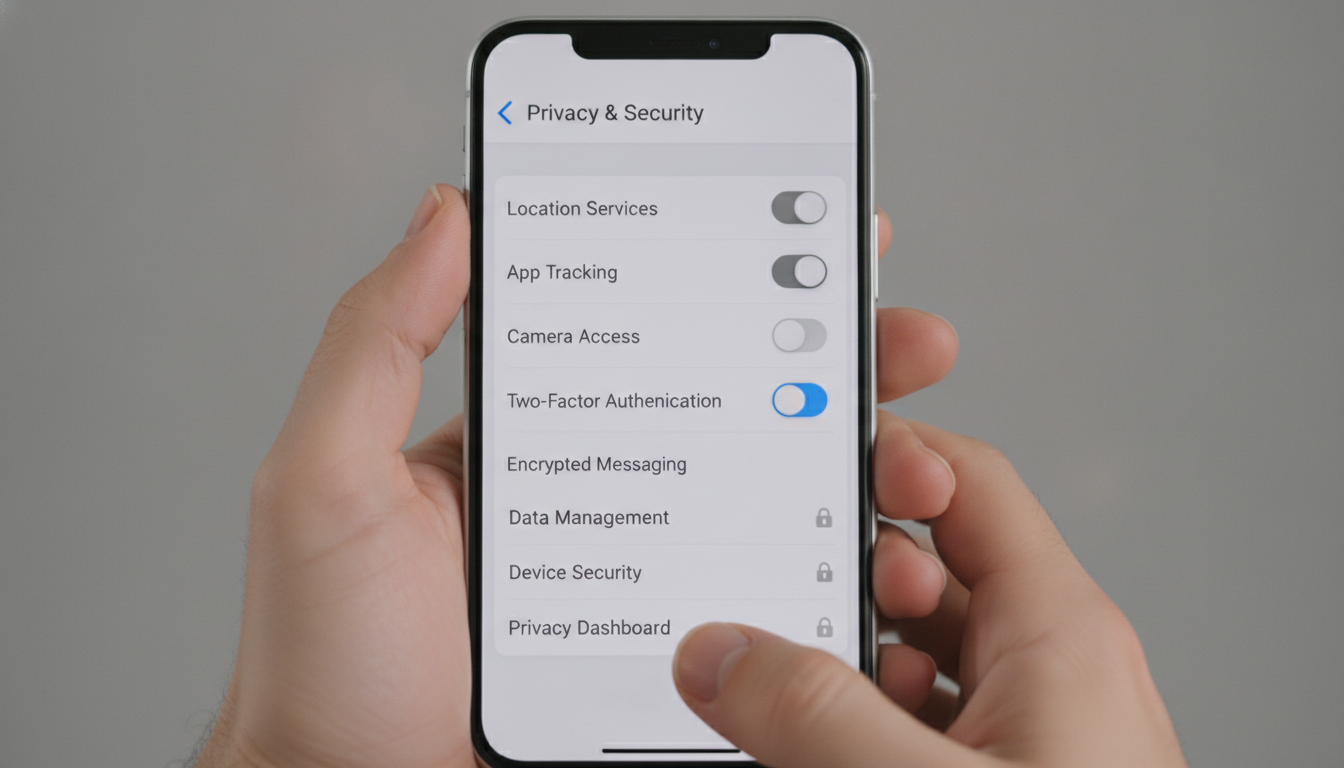
Manually deleting individual messages isn't enough. You need a systematic approach.
Set Up Automatic Deletion
Turn on the disappearing messages feature in Signal and Telegram. In Signal, tap the name at the top of the chat, choose "Disappearing messages," and set a time limit. In Telegram, start a Secret Chat and tap the clock to set the self-destruct timer.
Choose realistic time windows: messages that vanish instantly look suspicious and are impractical. One to two hours gives you enough time to read and reply, but leaves no lasting traces.
Control Media Downloads
Messengers often download photos and videos to your gallery automatically. That's fatal if you want to cheat discreetly. Turn off automatic media saving in all apps. In the app settings under "Chats" or "Media and Downloads," you'll find the "Auto-Download" option.
Even better: use in-app viewing without downloads. Most messengers let you view media directly in the app without saving it to your device. Once you've looked at it, it disappears along with the messages.
Turn Off Cloud Backups
Chat backups in Google Drive, iCloud, or Dropbox are ticking time bombs. WhatsApp backs up daily by default. Go into your messengers' backup settings and turn off automatic backups completely. In WhatsApp you'll find this under "Settings > Chats > Chat Backup" – set it to "Off."
Also delete any existing backups from your cloud manually. In Google Drive: "Settings > Manage storage > WhatsApp," then delete. In iCloud: "Settings > [Name] > iCloud > Manage Storage > Backups" and remove the relevant app.
Separate Devices and Profiles for Maximum Discretion
If you're serious about cheating discreetly, think about a strict separation. It sounds like a lot of work, but it offers the best protection.
A Second SIM Card or eSIM
Modern smartphones support dual SIM or eSIM. You can use a separate number without carrying around a second phone. Carriers like Mint Mobile or Tracfone offer prepaid plans that you can buy anonymously in a store with cash – no contract, no address on file.
Activate this second number only for your affair communication. In the settings, you can choose which SIM is used for which apps or contacts. That keeps everything separate, even if you only use one device.
Separate User Profiles on Android
Android devices running version 10 or later allow multiple user profiles on one device. You can create a completely separate profile with its own apps, settings, and data. Go to "Settings > System > Multiple users" and add a new profile.
In this separate profile, install only the apps you need for discreet communication. Switching between profiles takes seconds. Important: set a separate PIN or lock for the second profile that nobody can guess.
Reactivate Your Old Smartphone
Got an old phone in a drawer? Use it exclusively for affairs. An older smartphone with a prepaid SIM is less conspicuous than a second new device. Reset it to factory settings, install only Signal or Telegram, turn on all the security measures, and keep it somewhere safe – not at home, but in your car, office, or a locker.
Behavior Patterns That Can Give You Away
Technical measures are one thing. Your behavior matters at least as much if you want to cheat discreetly.
Avoid Conspicuous Usage Patterns
Constantly staring at your phone when you're supposed to be relaxed gets noticed. If you normally never reply to messages with a smile and suddenly type with a permanent grin, that raises questions. Be aware of your body language. Put the phone down now and then, even when a message comes in.
Avoid typing frantically or quickly turning the screen away when your partner is around. These micro-reactions are more telling than any message. Body language sends unconscious signals – control it deliberately.
Clean Up Your Browser History and Search History
Messengers aren't the only things that leave traces. Your Google search for "cheat discreetly," visited dating sites, or hotel research all end up in your browser history. As a rule, use incognito mode for anything related to affairs. In Chrome, Safari, and Firefox, you open it with a keyboard shortcut or through the menu.
Also clear your entire history regularly. In Chrome: "Settings > Privacy and security > Clear browsing data." Choose "All time" and select all options, including cookies and saved passwords.
Check Shared Calendars and Location Sharing
Many couples share calendars or use "Share My Location" on Apple or Google. Check which apps have access to your calendar. If you enter dates with your affair, use a separate calendar app with no syncing, or don't enter them at all – rely on your memory.
Location sharing is dangerous. Turn it off completely or grant it only for a limited time. On the iPhone you'll find it under "Settings > Privacy > Location Services > Share My Location." On Android, under "Settings > Location > Location Sharing."
Handling Suspicious Situations and Digital Emergencies

Even with every precaution in place, situations can arise where your discretion is at stake. Prepare for them mentally and technically.
Emergency Deletion Strategies
What do you do if your partner suddenly reaches for your phone? A panic-delete function can help. Some apps like Signal allow you to quickly delete entire chats with a long press. Practice these gestures so you can perform them by reflex in an emergency.
For Android there are apps like "Panic Button" that instantly close and lock certain apps when you shake the phone. Tools like these are controversial, but effective in an emergency. Only install them if you can explain them discreetly – for example as an "anti-theft security feature."
Prepare Plausible Excuses
Technology sometimes fails, or you get caught in an unguarded moment. Think up plausible explanations in advance. A message from an unknown number? "Probably spam, I blocked it right away." A new profile on your phone? "That's for work, to keep my personal and work data separate."
These excuses should never be too detailed – too many details sound made up. Keep them simple and matter-of-fact. What matters is that you don't seem nervous. Composure is more convincing than any story.
Turn On Remote Wipe
If your phone is lost or stolen, you need a way to erase it remotely. Turn on "Find My iPhone" on iOS or "Find My Device" on Android. These features let you wipe all data on the device from any computer.
Test this feature beforehand on an old device so you know how it works in an emergency. Remote wipe is irreversible – only use it if there's truly no other option.
Emotional and Ethical Boundaries When Cheating Discreetly
For all the technology, one dimension can't be missing: discretion serves not just self-protection but also respect for everyone involved. Anyone who wants to cheat discreetly is moving through a complex web of needs and responsibility.
Technical perfection can't block out the emotional consequences. Ask yourself honestly: why is discretion so important? What limits are you setting for yourself? The best digital security measures don't protect you from inner conflict. You'll find more on this in our article on boundaries in parallel relationships.
Your affair deserves clarity too. Communicate openly about the level of security and discretion you expect, and respect their needs as well. Trust – even in a discreet affair – rests on mutual understanding. An article on managing expectations in parallel relationships will help you find this balance.
Frequently Asked Questions: Cheating Discreetly and Using Messengers Safely
Which messaging app is the safest for discreet communication?
Signal is the safest option, with end-to-end encryption by default, automatic message deletion, and minimal data storage. The app doesn't require linking to social media and offers an independent lock PIN.
How do I completely erase digital traces when cheating?
Turn off automatic cloud backups, delete chat histories regularly with the apps' automatic deletion feature, use incognito mode in your browser, and check your media gallery for automatically saved photos. Remote wipe should be turned on.
Can my partner recover deleted messages?
Messages deleted through disappearing-message features are generally unrecoverable. Cloud backups, however, can restore deleted chats if they haven't been turned off. Check and manually delete existing backups from Google Drive or iCloud.
Should I use a second phone for affairs?
A separate device offers the highest security and discretion. Dual-SIM features or Android user profiles are practical alternatives on a single device, but they require strict discipline with your security settings. The choice depends on your risk level.
How do I keep push notifications from giving me away?
Turn off all notifications for the apps you use for affairs in your phone's system settings. Make sure no preview appears on the lock screen, and only open the apps deliberately when you're alone.
Conclusion: Discretion Is a Matter of Consistency
Anyone who really wants to cheat discreetly needs more than luck. Digital discretion is a discipline made up of technical knowledge, consistent behavior patterns, and constant vigilance. The right messaging app, well-considered settings, a strict separation of communication channels, and mental preparation for emergencies – together, they create a protected space for your privacy.
But no technology is flawless. Even the safest apps are useless if you get careless or your behavior gives you away. Discretion doesn't begin with the choice of app, but with the decision to live it consistently. Every detail counts, and every lapse can be fatal.
If you're ready to take on this responsibility, nothing stands in the way of your discreet adventure. Put the tips from this article into practice, test your security measures regularly, and always stay one step ahead. Your privacy is in your hands – protect it carefully.